
The iPhone Air presents a unique challenge for case manufacturers: how do you protect an incredibly thin phone without defeating its entire purpose? I tested a comprehensive collection of cases to find out which ones successfully walk this tightrope—adding meaningful protection while respecting the iPhone Air’s remarkably slim profile.
Why Case Your iPhone Air?
After watching durability tests showing this phone can withstand significant torture, you might wonder if a case is even necessary. Here’s why protection still matters: while the iPhone Air is impressively durable, the edges remain vulnerable to drop damage. The glass curves up at the edges, making impact damage a real concern. A case protects your investment and ensures your phone lasts as long as possible without compromising its signature thinness.
Let me walk you through every case I tested, starting with the ultra-slim options and moving toward more protective designs.
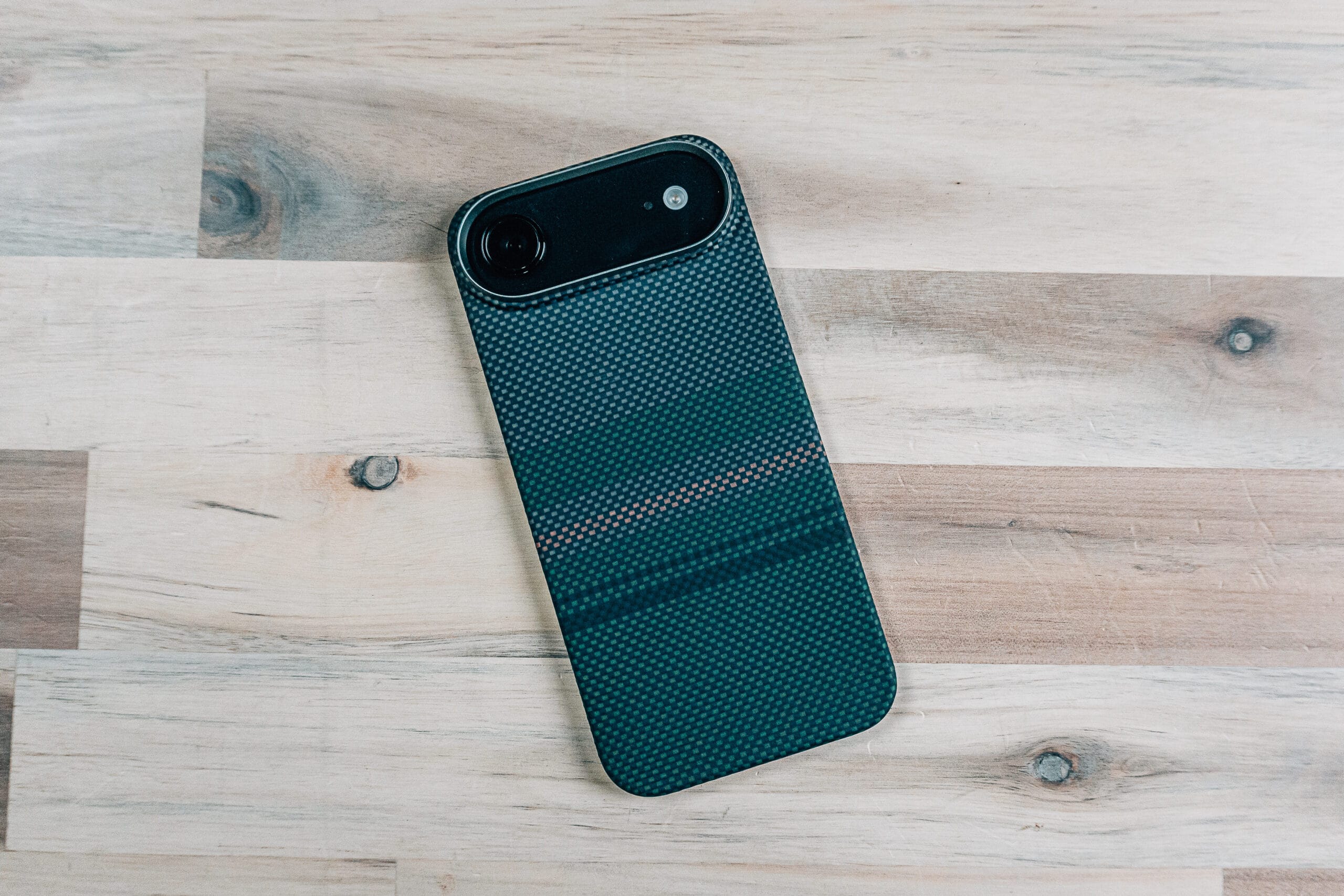
Benks Aurora Kevlar iPhone 17 Air Case
The Benks Aurora represents everything I love about minimal cases—it’s extremely thin and barely adds any bulk to an already slim phone.
Material & Construction: Made from genuine Kevlar, this case is both lightweight and exceptionally strong. The form-fitting design snaps on securely, though you’ll need to be careful when removing it due to the tight fit.
Camera Protection: Provides a protected area around the camera module while allowing the phone to sit completely flat—no wobble whatsoever.
MagSafe Performance: Includes additional magnets for strong MagSafe support. Your phone won’t be sliding off any wireless charger or mount.
Screen Protection: Minimal screen-down protection, so a screen protector is essential with this case.
Bottom Line: You’re buying the iPhone Air because you want a thin phone. This case protects all the edges and camera module without adding significant thickness. Available in multiple color options.
Details & Pricing: https://jerad.link/benksiphoneair
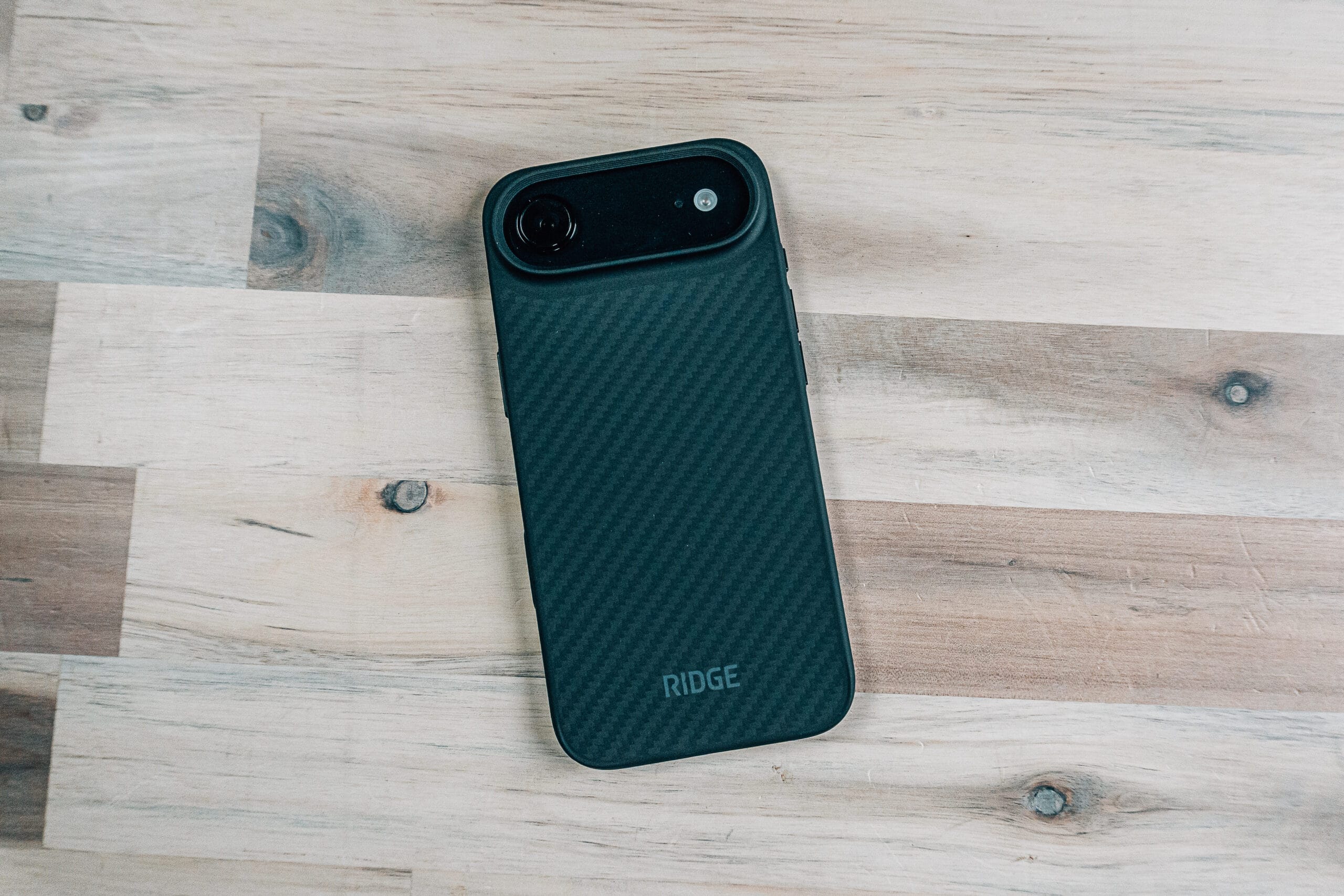
Ridge Carbon iPhone 17 Air Case
Ridge brings their signature aesthetic to the iPhone Air with a carbon fiber design that actually looks premium.
Design Excellence: Unlike many cases that slap a carbon pattern onto a rectangle as an afterthought, Ridge integrated the carbon design beautifully into the entire case structure. It flows naturally into the edges rather than looking tacked on.
Protection: Adds more thickness than ultra-slim options but provides substantial screen-down protection. If you tend to place your phone face-down frequently, this case gives you peace of mind.
Camera Control: The camera control button is exceptionally fast and responsive—one of the best implementations I tested.
MagSafe Performance: Maintains strong magnetic attachment without compromising wireless charging.
Bottom Line: A premium option that adds protection without excessive bulk. The carbon design is genuinely attractive rather than simply decorative.
Details & Pricing: https://jerad.link/ridgecarboniphoneair
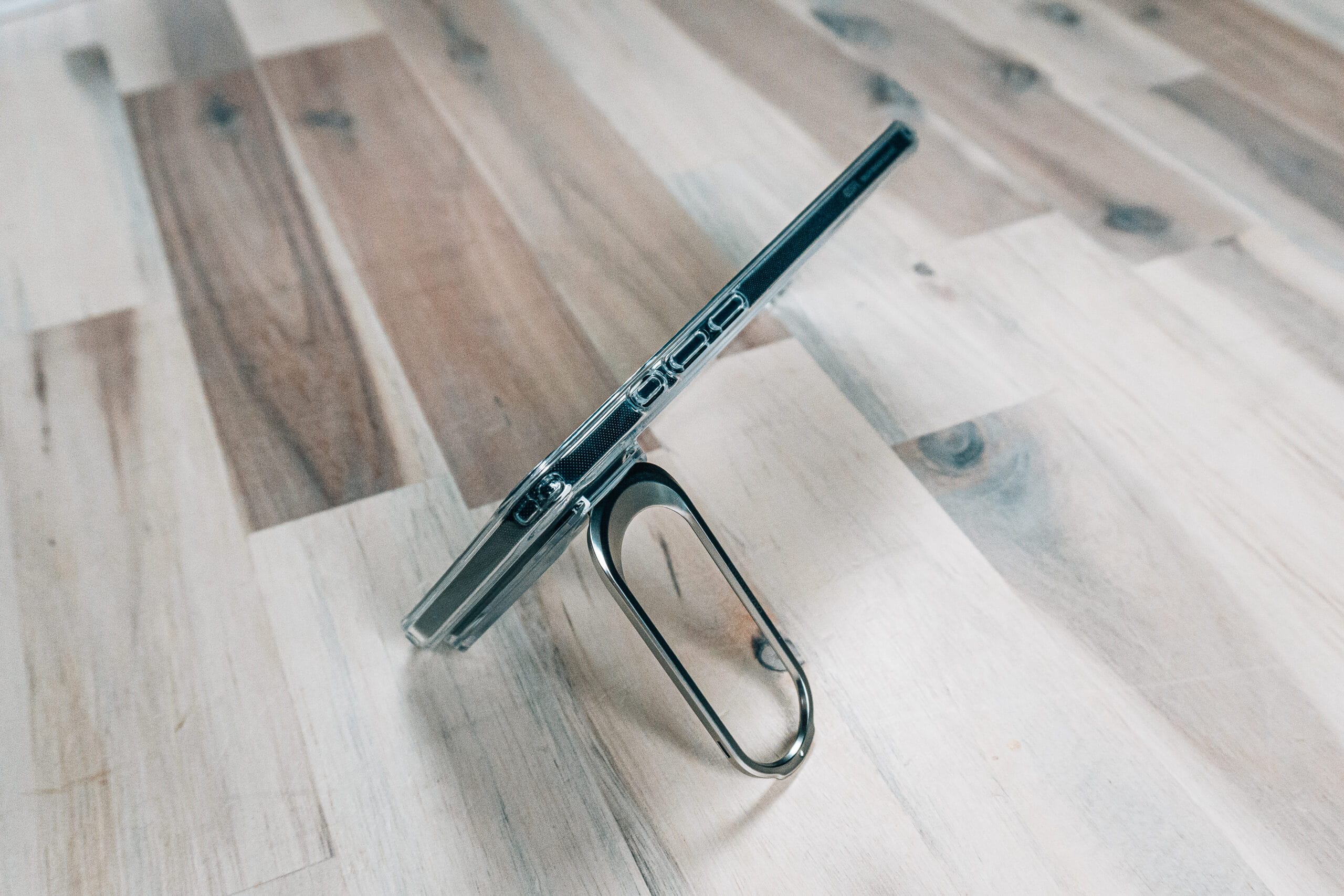
ESR Classic Series Magnetic Hybrid iPhone 17 Air Case
This clear case lets your iPhone Air’s color choice shine through while adding functionality that surprised me.
Transparency Done Right: Shows off your phone’s design and color with the Apple logo nicely centered in the MagSafe ring area.
Standout Feature: Built-in kickstand that pops out from the back and utilizes the phone’s shaped design. It works in both portrait and landscape orientations with adjustable angles.
MagSafe Performance: Incredibly strong magnets—removing the magnet from the back was genuinely challenging. This means your phone is staying exactly where you put it.
Camera Control: Responsive button with good tactile feedback for zooming and mode switching.
Design Integration: The kickstand looks like part of the case design rather than an obvious add-on. When closed, you barely notice it’s there.
Bottom Line: If you want a clear case with genuine utility, this delivers. The kickstand alone makes it worth considering, and the magnetic strength is exceptional.
Details & Pricing: https://jerad.link/esrhybridstandiphoneair
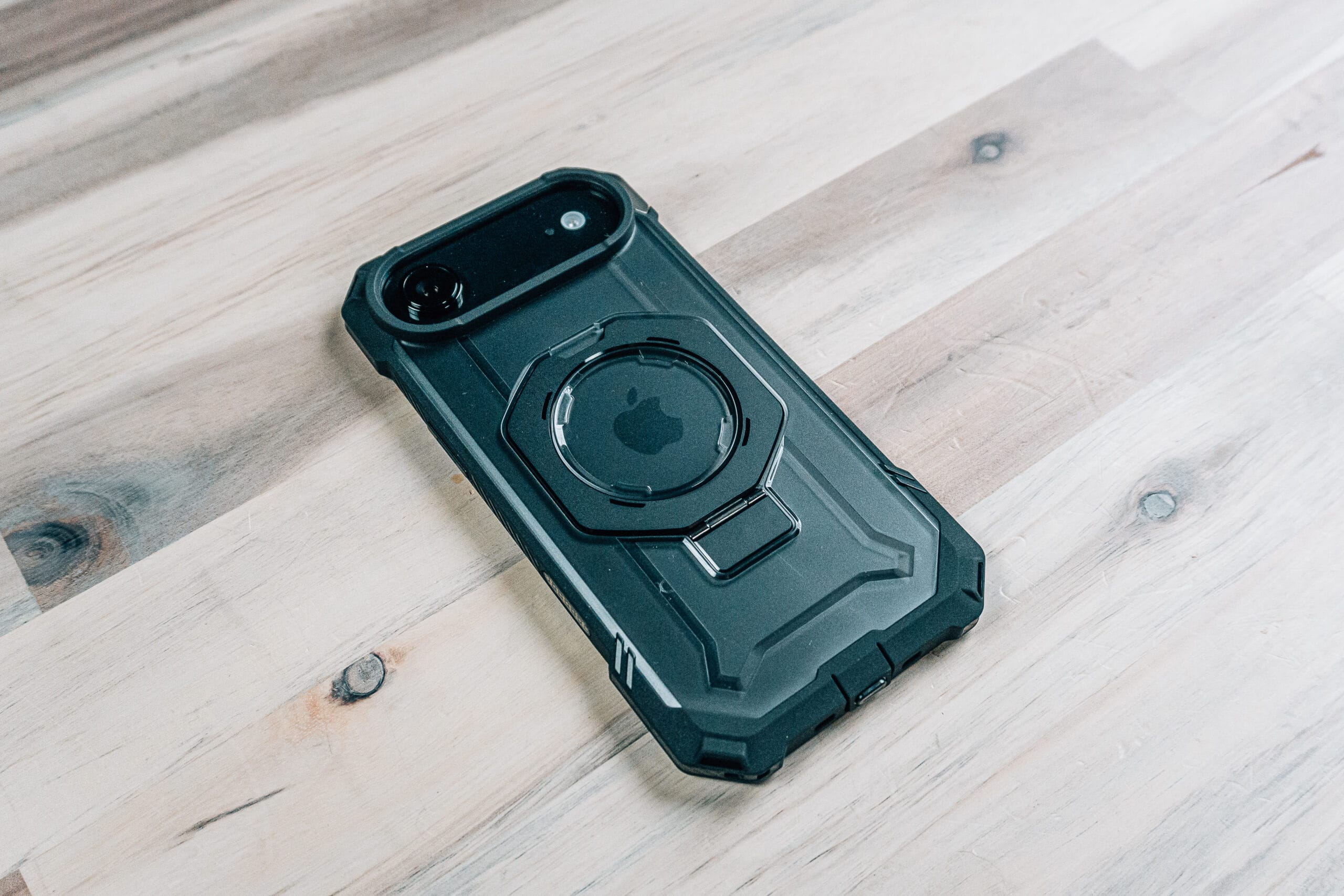
Supcase Unicorn Beetle UB Grip iPhone 17 Air Case
Supcase’s UB Pro series typically adds significant bulk, but they reimagined it for the iPhone Air’s thin profile.
Adapted Design: They maintained the protective essence of the UB Pro while slimming it down considerably for the Air. It still adds thickness—making your phone about as thick as an iPhone 16 with a case—but provides exceptional protection.
Features:
- Carbon fiber-look corners with reinforced protection
- Capacitive touch camera control button that’s highly responsive
- Port protector to keep debris out of your charging port
- Built-in kickstand that rotates for different angles
- Color accent on the action button for easy identification
The Big News: Unlike many previous UB Pro cases, this one supports wireless charging—a first for several iterations of this series.
MagSafe Performance: Strong magnetic support that passes the shake test with flying colors.
Bottom Line: For those who want maximum protection on a thin phone, this is the best option. It adds bulk but far less than you’d expect from this level of protection.
Details & Pricing: https://jerad.link/supcaseubgripiphoneair
Spigen Liquid Air
Spigen’s Liquid Air has been a trusted series for years, bringing their minimal protection philosophy to the iPhone Air.
Design Approach: Provides solid protection while maintaining a minimal look. The case completely covers the camera module area except where exposure is needed—making your phone look more incognito than typical cutout designs.
Grip Enhancement: Textured pattern on the back and subtle grip along the sides make the phone easier to hold without being aggressive about it.
Camera Control: Capacitive button launches quickly and responds well to swipes and taps.
The Problem: Lacks additional magnets, so you’re relying solely on the phone’s magnetic strength. This creates a loose MagSafe connection. Your phone will slip off angled wireless chargers and isn’t reliable on mounts.
Bottom Line: Great case overall with good protection and nice design, but not ideal if you heavily rely on MagSafe accessories.
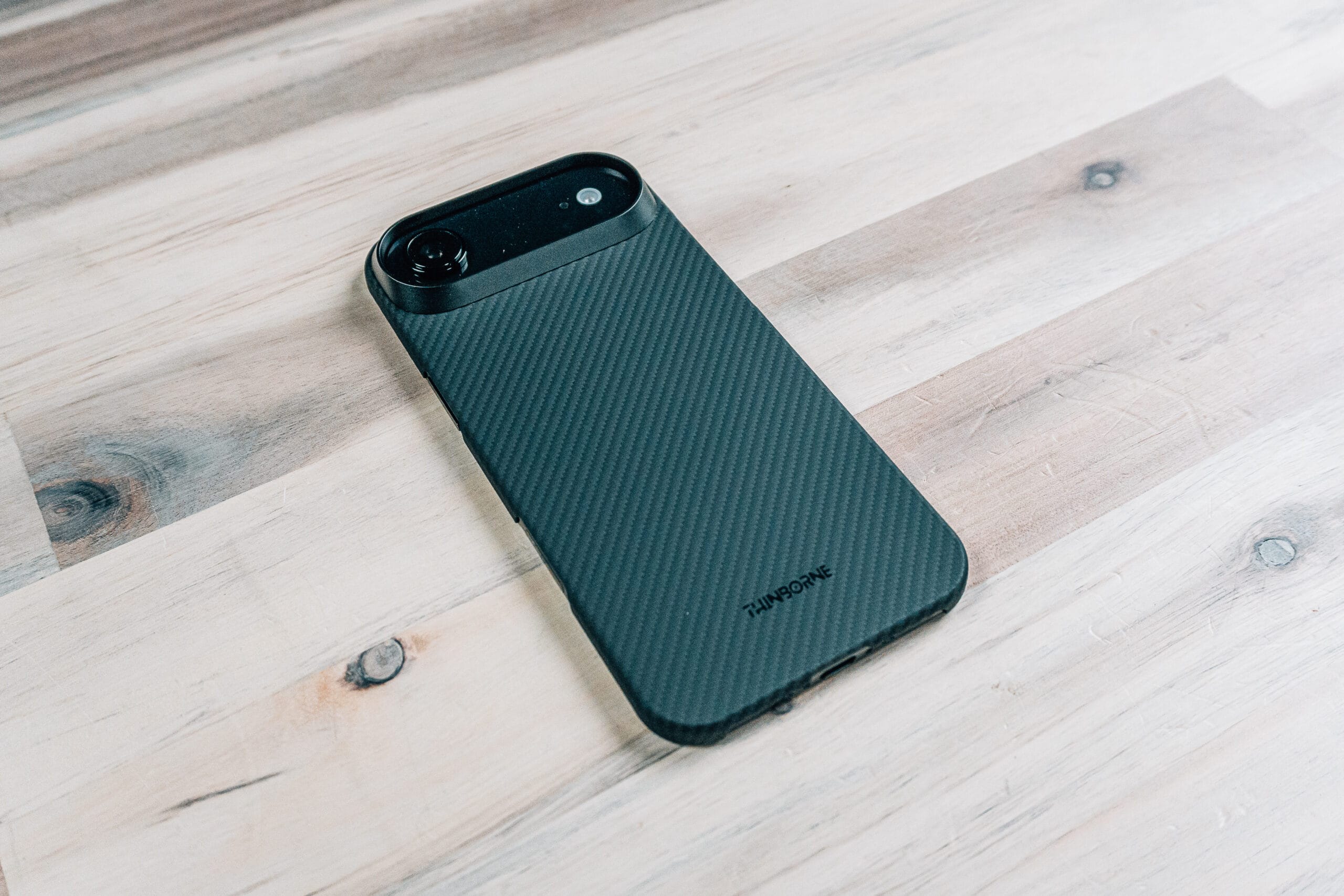
Thinborne Ultra-Thin Case
Thinborne specializes in extremely thin cases, and their iPhone Air version might be the slimmest I tested.
Unique Construction: Features an interesting metal insert for the camera module that’s actually a separate piece you snap into the case. Initially concerning, but once properly aligned and installed, it works well.
Thinness: Possibly even slimmer than the Benks case—barely thicker than a skin while still providing meaningful protection.
MagSafe Performance: Despite the minimal thickness, it includes strong additional magnets. Even holding the phone at 90 degrees by the MagSafe charger presents no issues.
Screen Protection: Virtually none, so a screen protector is essential (one is included with the case).
Caution: The extreme thinness means you should be careful when removing the case. Don’t take it on and off frequently—it’s meant to stay on.
Bottom Line: For those who want barely-there protection with surprisingly strong MagSafe support. The metal camera ring adds a premium touch.
Details & Pricing: https://jerad.link/thinborneiphoneair
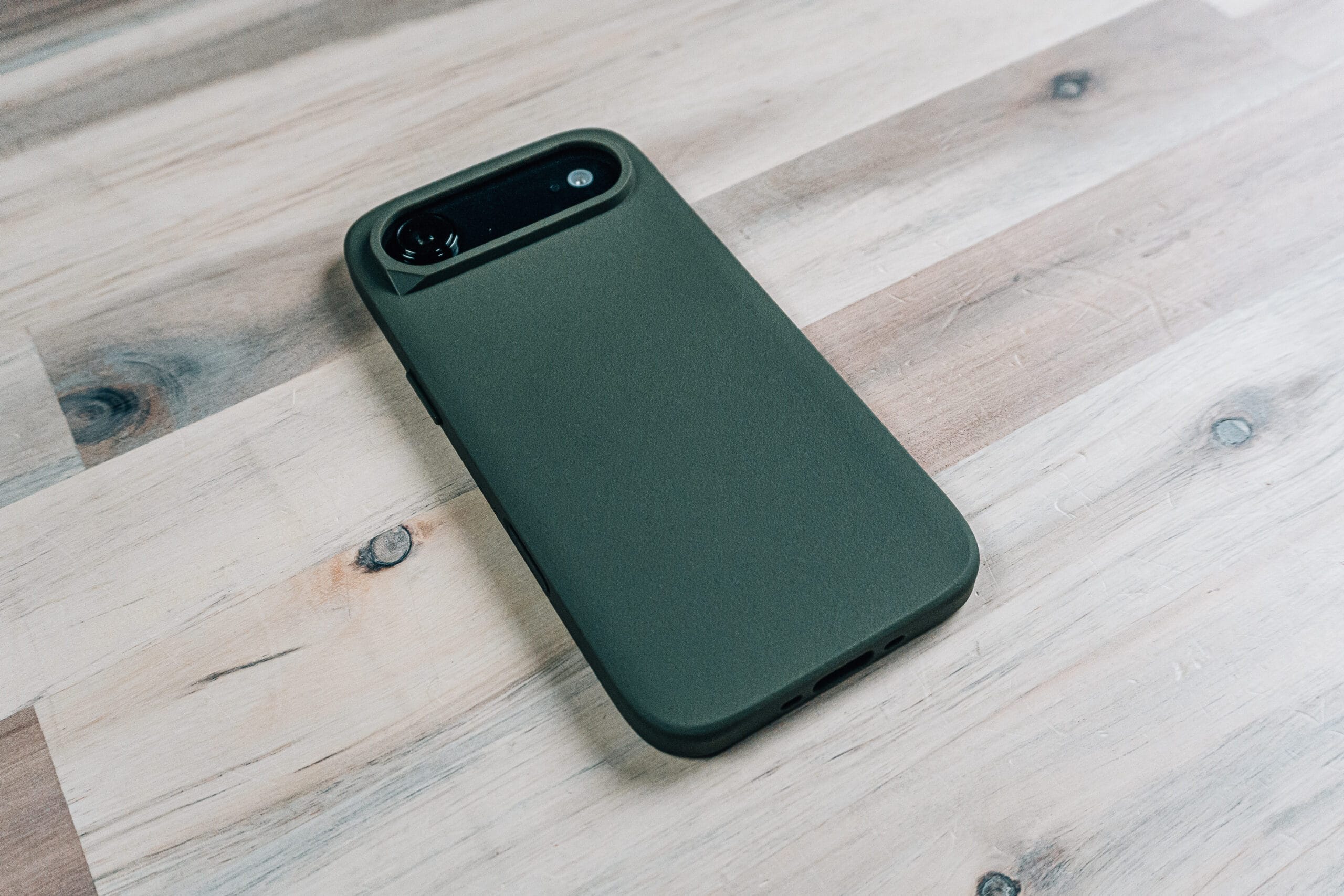
Rhinoshield Solid X
Rhinoshield’s Solid X adds substantial protection, making your iPhone Air look more like an iPhone 15 or 16 in terms of thickness.
Protection Focus: If you bought a slim phone but still want serious protection, this is your answer. Good corner protection and substantial screen-down coverage.
Design Detail: Love the subtle creative touch in the corner design—adds visual interest without being over the top.
Camera Control: Launches perfectly with responsive tactile feedback throughout.
MagSafe Performance: Strong additional magnets provide secure attachment. Easily passes the shake test.
Trade-off: Most people won’t know you have an iPhone Air due to the case shape, but you get excellent protection in return.
Bottom Line: Best option for those who want the Air’s capabilities with traditional iPhone-level protection.
Details & Pricing: https://jerad.link/rhinoshieldsolidxiphoneair
Supfine Magnetic Compatible Case
A budget-friendly option that doesn’t compromise on essentials.
Value Proposition: Inexpensive while maintaining good build quality throughout. No molding issues or concerning quality problems.
Protection: Simple design with good coverage all around. Minimal screen-down protection means a screen protector is still recommended.
MagSafe Performance: Surprisingly strong magnets—it’s actually challenging to rotate a ring on the back. Your phone isn’t going anywhere.
Thickness Added: Makes your iPhone Air about as thick as an iPhone 16 without a case—still reasonable while adding meaningful protection.
Bottom Line: If you’re looking for an inexpensive case with solid performance, this delivers impressive value.
Details & Pricing: https://jerad.link/supfineiphoneaircase

UAG Dot Case
UAG brings their distinctive aesthetic to the iPhone Air with their signature dot pattern on the back.
Design: The dots on the back are slightly reflective when light hits them just right. The sides are tapered and thin to maintain that slim phone feel.
Protection Balance: Substantial corner protection and good coverage around the camera module while keeping the sides relatively slim.
Camera Control: Complete cutout for the button provides full access, though the thin walls around this cutout could be concerning for fidgeters—repeated pressing might stretch this area over time.
MagSafe Performance: Tons of magnetic strength with reliable wireless charging. Survives the shake test even at 90 degrees.
Bottom Line: UAG successfully translated their design language to a thin phone format without excessive bulk.
Details & Pricing: https://jerad.link/uagdotiphoneair
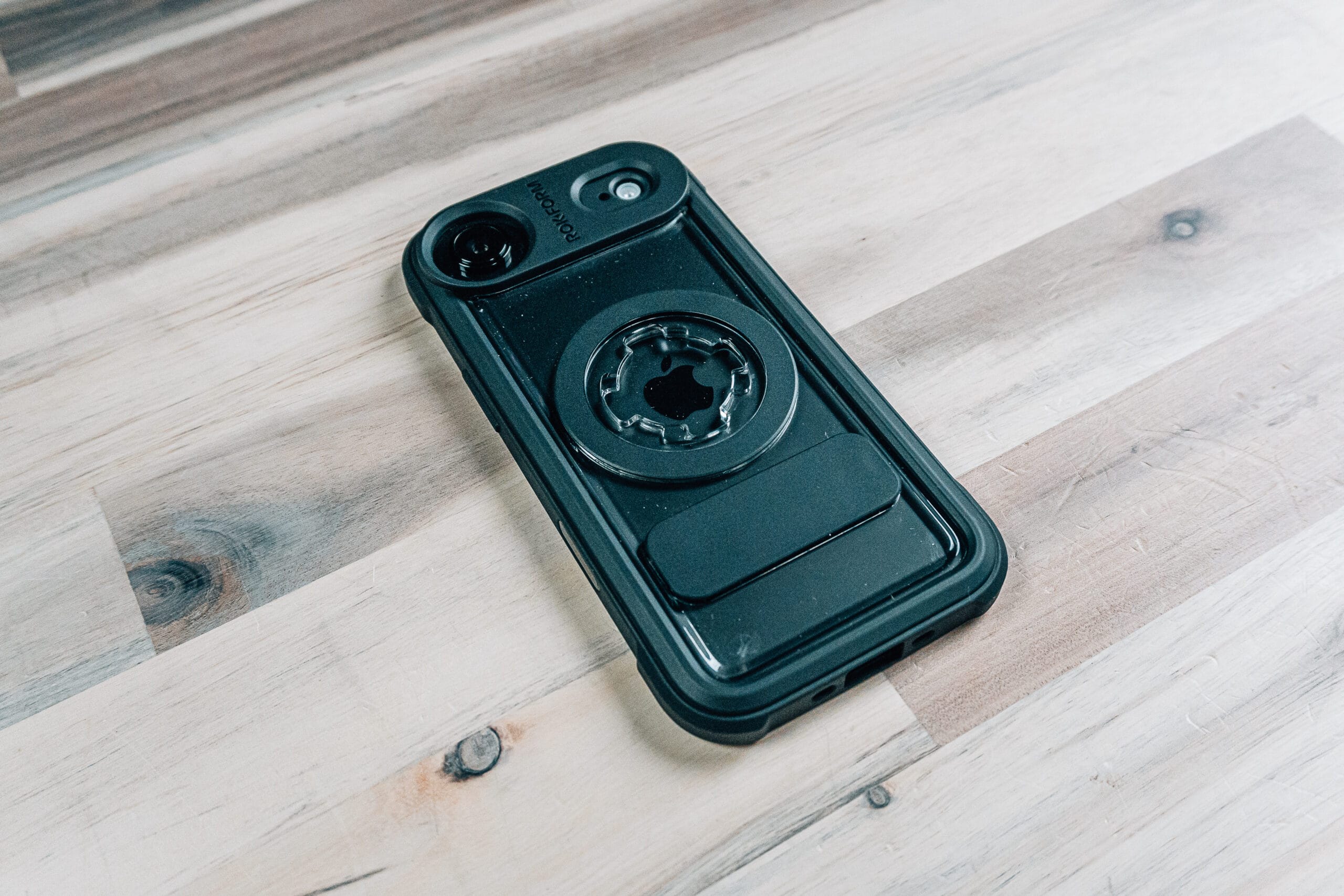
Rockform Crystal Series
Rockform takes a unique approach with their proprietary mounting system that goes beyond standard MagSafe.
The System: Features both MagSafe support and Rockform’s twist-lock mounting mechanism. Accessories snap and lock into place with a ball-mount system.
Use Case: Perfect for motorcycles, bikes, or any situation where even the strongest MagSafe isn’t trustworthy enough. Your phone physically locks to the mount.
Additional Accessories:
- Magnetic wallet with built-in kickstand
- Lanyard support built into the case
- Various mounting options for vehicles and articulating arms
MagSafe Strength: Even without Rockform accessories, the MagSafe magnets are exceptionally strong—almost challengingly so when trying to remove accessories.
Bottom Line: The ultimate security option. If your phone absolutely cannot fall, this system delivers. Also available in other designs if the crystal look isn’t your style.
Details & Pricing: https://jerad.link/rockformcrystaliphoneair
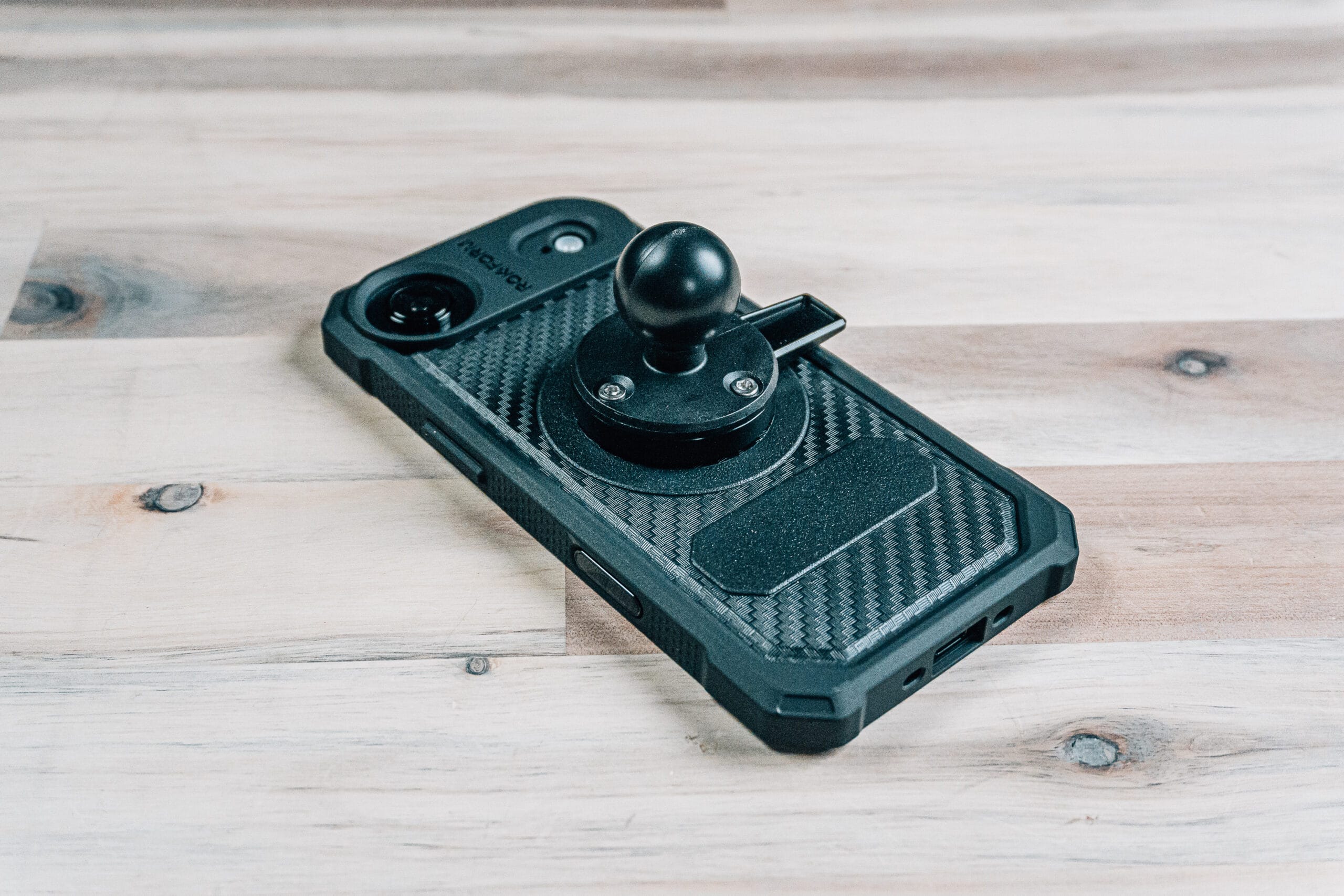
Rockform Rugged Series
The rugged version of Rockform’s system adds maximum protection while maintaining their mounting capabilities.
Protection Level: Adds significant thickness—about equivalent to an iPhone 15 or 16 with a case. Reinforced corners and substantial screen-down protection throughout.
Carbon Fiber Aesthetic: Nice looking back panel with Rockform’s signature material choices.
The Twist-Lock Advantage: Pull back the lever, rotate the ball-mount accessory into place, and your phone is locked on. No amount of shaking, pulling, or prying will dislodge it.
Wireless Charging: Despite being a thicker case, wireless charging still works perfectly.
Bottom Line: Maximum protection with the most secure mounting system available. Worth the added bulk if you need absolute certainty your phone won’t fall.
Details & Pricing: https://jerad.link/rockformrugediphoneair
Rhinoshield Mod NX
A unique two-piece system combining a back plate with a bumper.
Installation Process: Apply the transparent back plate to your clean phone, then snap the bumper around the edges. Takes a bit more effort than one-piece cases but isn’t difficult.
Capacitive Button: Camera control works excellently through the integrated button.
MagSafe Performance: Ridiculously strong magnets—it actually hurts to try rotating a ring on the back. This is the strongest magnetic connection I tested.
Protection: Substantial screen-down protection with thicker coverage at top and bottom, slimmer on the sides to avoid excessive bulk.
The Trade-off: With magnets this strong, you might slide your entire wireless charging stand across your desk trying to rotate your phone on the MagSafe puck.
Bottom Line: One of my favorite cases overall. The two-piece design provides excellent protection with exceptional MagSafe strength.
Details & Pricing: https://jerad.link/rhinoshieldmodnxiphoneair
Rhinoshield Screen Protector
Rhinoshield includes an installation guide with their screen protectors for easier application.
Installation: Snap the guide onto your phone, position the protector, push down, and pull the tab. The guide helps with alignment.
My Experience: Ended up with more bubbles than I’d like, making this not my favorite screen protector installation. Most bubbles can be worked out by pressing toward the edges, but the initial application wasn’t as smooth as other systems I’ve used.
Bottom Line: The guide helps, but the installation process could be more refined.
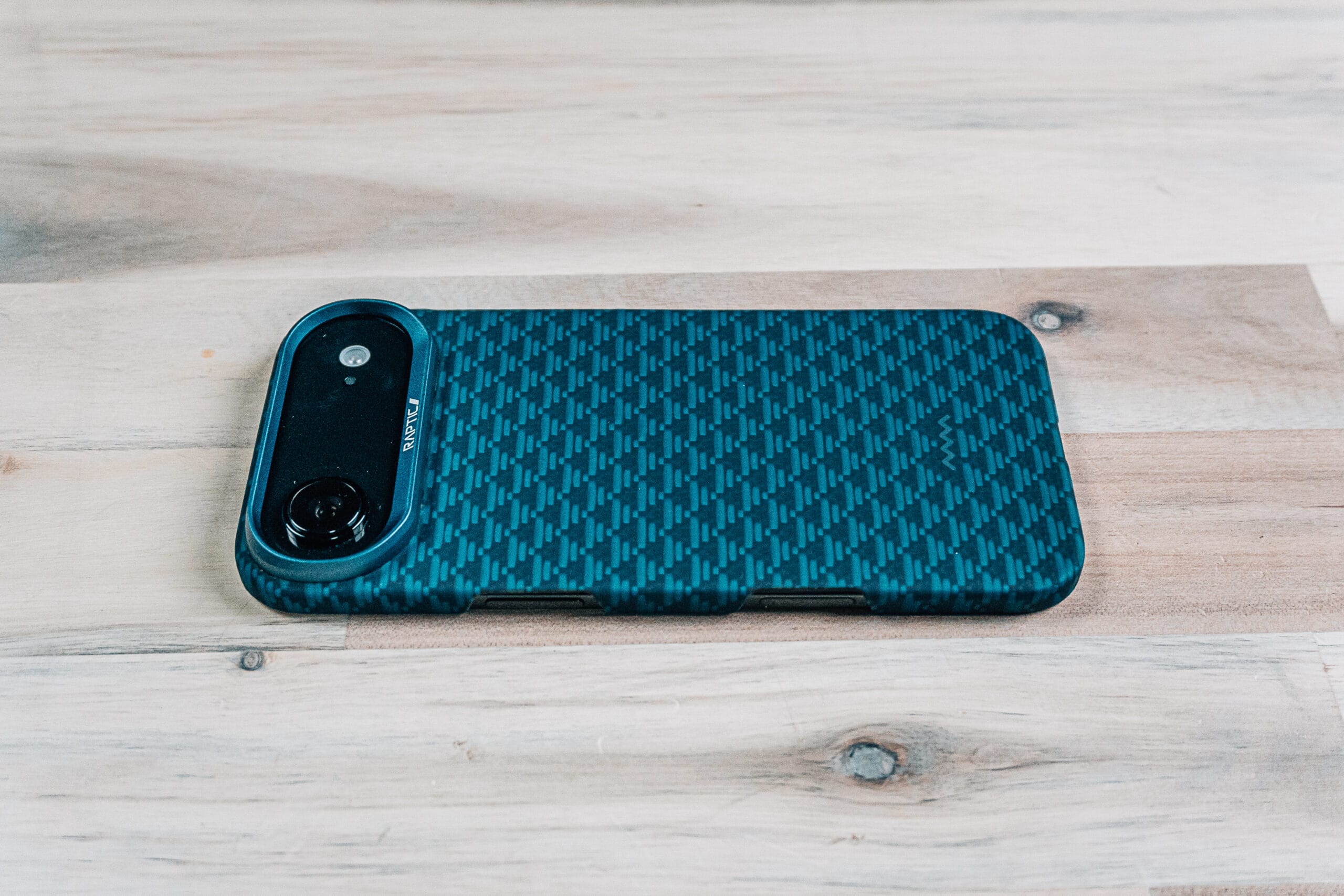
Raptic Aramid Skin iPhone 17 Air Case
Not much thicker than an actual skin, Raptic’s aramid case focuses on minimal protection with premium materials.
Pattern & Texture: Nice tactile texture with an attractive pattern. Available in multiple design options.
Standout Feature: Metal ring protection around the camera module provides excellent protection for the most protruding part of your phone.
Screen Protection: Ever-so-slight raised edges in the corners provide minimal screen-down protection. Definitely pair this with a screen protector.
MagSafe Performance: Strong additional magnets provide secure attachment for accessories and wireless charging.
Bottom Line: Extremely thin with excellent camera protection. The metal ring is the key feature that sets this apart from other ultra-slim options.
Details & Pricing: https://jerad.link/rapticiphoneair
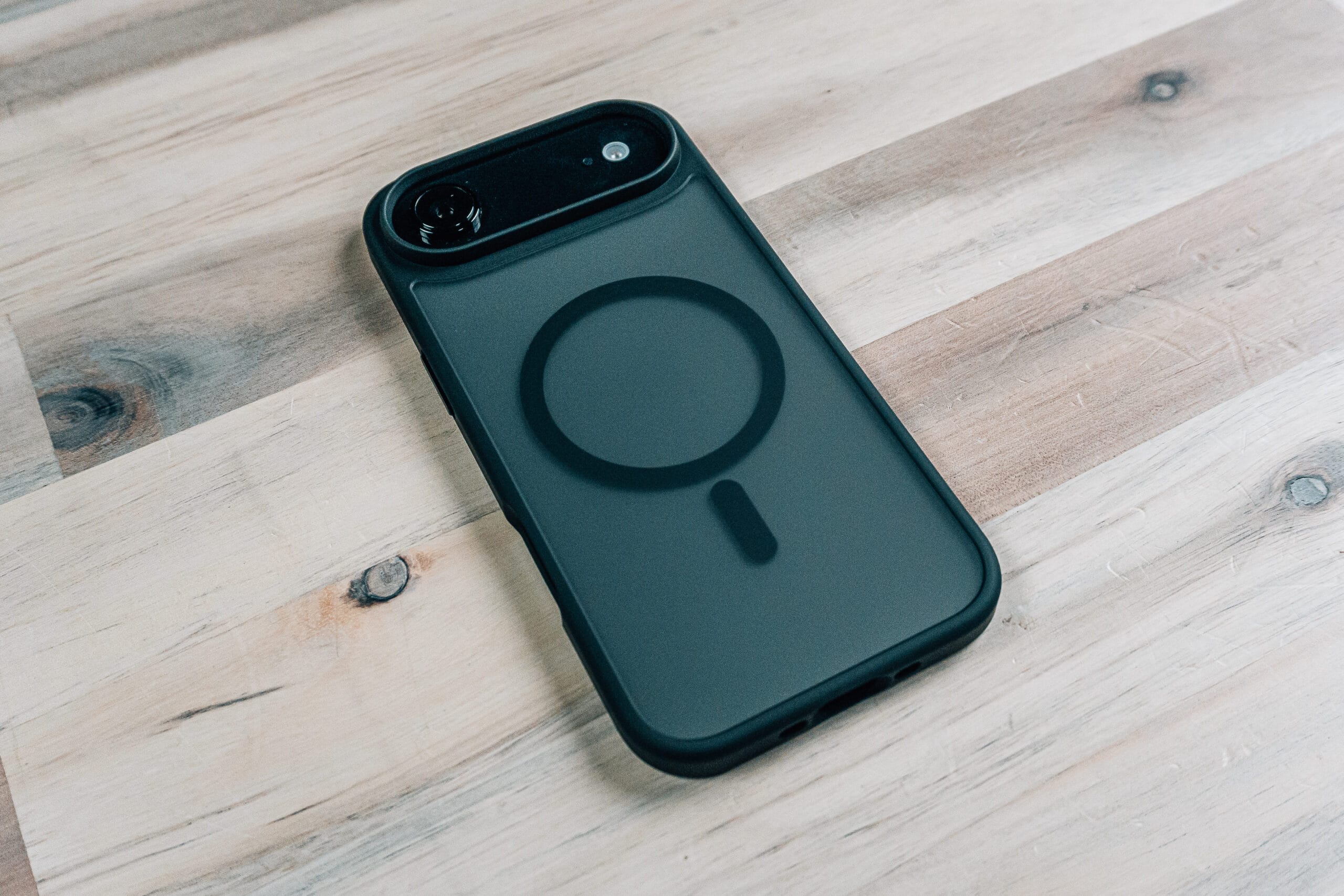
Miracase iPhone 17 Air Case
An affordable silicone option with good all-around protection.
Design: Smoked dark color with silicone construction. Adds some thickness but not excessively.
Protection: Good screen-down protection and comes with a screen protector in the box.
Camera Control: Cut-out design provides full access to the actual button without interference.
Feel: Smooth silicone that feels good in hand, though slightly slick. The raised edges help with grip.
MagSafe Performance: Strong magnets that required genuine effort to rotate—this phone isn’t going anywhere.
Bottom Line: An inexpensive case with solid performance. If you want affordable protection without sacrificing quality, this delivers.
Details & Pricing: https://jerad.link/miracaseiphoneair
Final Recommendations
After testing all these cases, here are my top picks for different priorities:
Best Ultra-Slim: Benks Aurora Kevlar or Thinborne Ultra-Thin – Protection without bulk
Strongest MagSafe: Rhinoshield Mod NX – Almost impossibly strong magnets
Best Overall Protection: Supcase UB Pro – Maximum protection adapted for a thin phone
Most Secure Mounting: Rockform (Crystal or Rugged) – Twist-lock system can’t be beat
Best Value: Torftaix Magnetic Compatible – Budget-friendly with strong performance
Best Clear Case: ESR Classic Series – Transparency plus kickstand functionality
Best Design: Ridge Carbon – Premium look with genuine carbon fiber integration
The Bottom Line
The iPhone Air’s extreme thinness creates a unique challenge: every millimeter matters. The cases that succeed are those that add meaningful protection to vulnerable areas—edges, corners, and camera module—without turning your slim phone into a brick.
Remember: regardless of which case you choose, invest in a quality screen protector. Even cases with good screen-down protection benefit from that additional layer. The back of the iPhone Air is glass, and the front is sapphire glass—both strong but still susceptible to damage.
The best protection strategy combines a thoughtfully designed case with screen protection. Don’t compromise on either.



You must be logged in to post a comment.